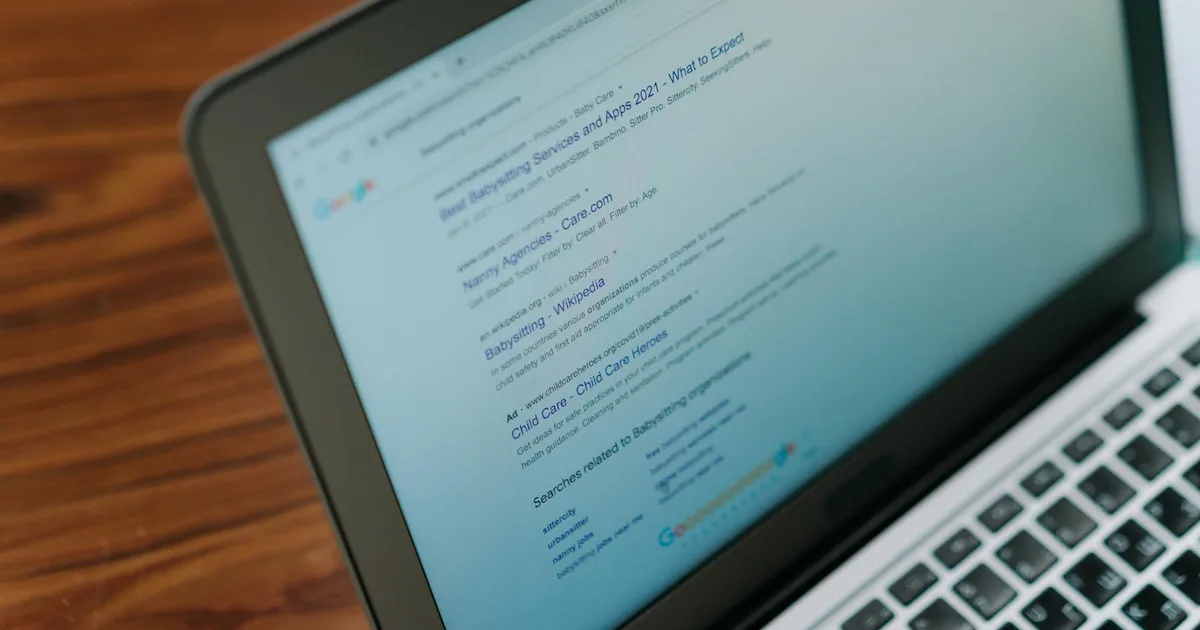
A featured snippet is the boxed answer that appears at the top of Google's search results, above position 1, often called "position zero." For the right queries, a featured snippet gives your page visibility that dominates the top of the results page: your answer is shown directly to users before they click anywhere. Winning featured snippets for commercially relevant questions increases your organic traffic, your brand visibility, and your credibility as an authoritative source. The best part is that featured snippets are earnable through content structure optimisation, not just domain authority.
What Are Featured Snippets and What Types Exist?
A featured snippet extracts a portion of your page's content and displays it in a formatted answer box at the top of Google's search results. It includes the extracted text or visual, a link to the source page, and the page title and URL.
The three main featured snippet formats are:
Paragraph snippets: A text block of 40 to 60 words answering a question. The most common format, triggered by "what is," "why does," "how does," and "explain" type queries. Google extracts a passage from your page that directly answers the question.
List snippets: A numbered or bulleted list displayed in the snippet. Triggered by "how to," "steps to," and "types of" queries. Google extracts either a list you have formatted in your page or generates a list from sequential paragraph text.
Table snippets: A table extracted from your page or generated by Google. Triggered by comparison, pricing, and specification queries where tabular data is the clearest format.
Video snippets: A YouTube video timestamp or clip shown in the snippet. Common for how-to and tutorial queries.
Which Queries Trigger Featured Snippets?
Not all queries trigger featured snippets. Google uses snippets when it determines that a direct answer will satisfy the user's query better than a list of links. Query types most likely to trigger snippets:
- Question-based queries: "What is X?", "How does X work?", "Why is X important?", "When should I X?"
- Comparison queries: "X vs Y", "Difference between X and Y"
- How-to and process queries: "How to X", "Steps to X"
- Definition queries: "What is the definition of X?", "What does X mean?"
- Calculation and conversion queries: "How to calculate X", "Convert X to Y"
Queries that do not typically trigger featured snippets:
- Navigational queries (someone looking for a specific website)
- Branded queries (someone searching for a specific brand)
- Very broad, ambiguous queries where no clear answer exists
- YMYL queries where Google is cautious about providing a single authoritative answer (some medical, legal, and financial queries)
How Do You Identify Featured Snippet Opportunities?
Start by identifying queries where Google is already showing a snippet, but not from your page. These are the highest-priority opportunities because the snippet format is confirmed to exist; you just need to displace the current holder.
In Google Search Console: Filter your impressions data by queries that include question words (who, what, where, when, why, how). For queries where your page appears in position 1 to 10 but you do not have the snippet, there is a targeting opportunity.
In Ahrefs: The SERP features filter allows you to find queries in your target topic area that currently trigger a featured snippet. Review the current snippet holder and assess whether your existing content could be optimised to compete or whether a new page is needed.
Manual SERP testing: Search the question variants of your target topics on Google and note which trigger snippets. For queries central to your business, winning the snippet is a high-priority optimisation.
How Do You Optimise Content to Win Featured Snippets?
The key principle is to answer the question explicitly, concisely, and in the format Google expects for that query type.
For Paragraph Snippets
Answer the question in the first sentence of its section: If a section of your page addresses the question "what is anchor text?", the first sentence of that section should answer directly: "Anchor text is the visible, clickable text in a hyperlink that tells users and search engines what the linked page is about."
Aim for 40 to 60 words in your answer: Google's paragraph snippets are typically this length. A two to three sentence direct answer followed by elaboration is the right structure. The first two to three sentences are what Google extracts; the rest of the section provides depth for readers who want more.
Use the exact question as a heading: If the query is "what is click-through rate in SEO?", the heading "What Is Click-Through Rate in SEO?" on your page signals to Google that this section directly addresses that question. Question-format H2 and H3 headings are consistently associated with featured snippet wins.
Write in plain, accessible language: Google's snippets favour content that is easy for a broad audience to understand quickly. Technical jargon in the snippet answer reduces its clarity and its usability as a standalone answer.
For List Snippets
Use explicit numbered or bulleted lists in HTML: Format the content you want extracted as an actual HTML list, not as a paragraph with sequential descriptions. Google extracts formatted list markup more reliably than numbered prose.
Keep list items concise: Each list item in a snippet is typically one line. Longer list items get truncated. Write list items as brief, scannable entries.
Include the right number of items: Google often displays 6 to 8 list items in a snippet before adding a "More items..." link. If your list has 12 items, Google may show only 8. Prioritise the most important items at the top.
Use a clear heading that states the list topic: "10 Steps to Conduct an SEO Audit" as a heading before your numbered list tells Google exactly what the list covers.
For Table Snippets
Format data as actual HTML tables: Use proper <table> markup rather than a visual table created with characters or images. HTML tables are extracted by Google; images are not.
Keep tables focused: Tables with 3 to 5 columns and 5 to 10 rows are the most common in snippets. Very large tables are typically not extracted in their entirety.
Use descriptive column headers: Clear column headers help Google understand what your table data represents and match it to the query.
Does Winning a Featured Snippet Always Increase Traffic?
Featured snippets do not always increase traffic. For some queries, the snippet answers the question so completely that users do not need to click through to your page. This is particularly true for simple factual queries where the snippet provides a complete answer.
The queries worth optimising for snippets are those where:
- The answer is complex enough that users want more context (click-through for depth)
- The query is an early-stage research query where users want to engage with your broader content
- The brand visibility from the snippet itself has value even without a click (high-profile, brand-building queries)
For queries where AI Mode is also active, the snippet may sit alongside or beneath an AI-generated answer, reducing its visibility. Monitor CTR for featured snippet queries separately to assess whether snippet wins are delivering meaningful traffic.
How Do You Maintain a Featured Snippet Once You Have Won It?
Featured snippets are not permanent. Competitors optimising their content can displace you. Google also periodically refreshes which pages it selects for snippets.
Maintain your snippet position by:
- Keeping the optimised content updated with current information
- Monitoring your snippet queries in Search Console for CTR changes that might indicate displacement
- Reviewing whether the current snippet holder has changed every quarter
- Continuing to improve the overall page quality, as snippet eligibility is related to broader page authority
Dynamically optimises content for featured snippet eligibility as part of our content and SEO strategy work with UK businesses. If you want to claim position zero for the questions your prospects are asking, get in touch to discuss your content optimisation strategy.